
› Delete server
Here you can learn how to delete servers you no longer need through the dashboard
If you no longer need a server, you can remove it yourself anytime.
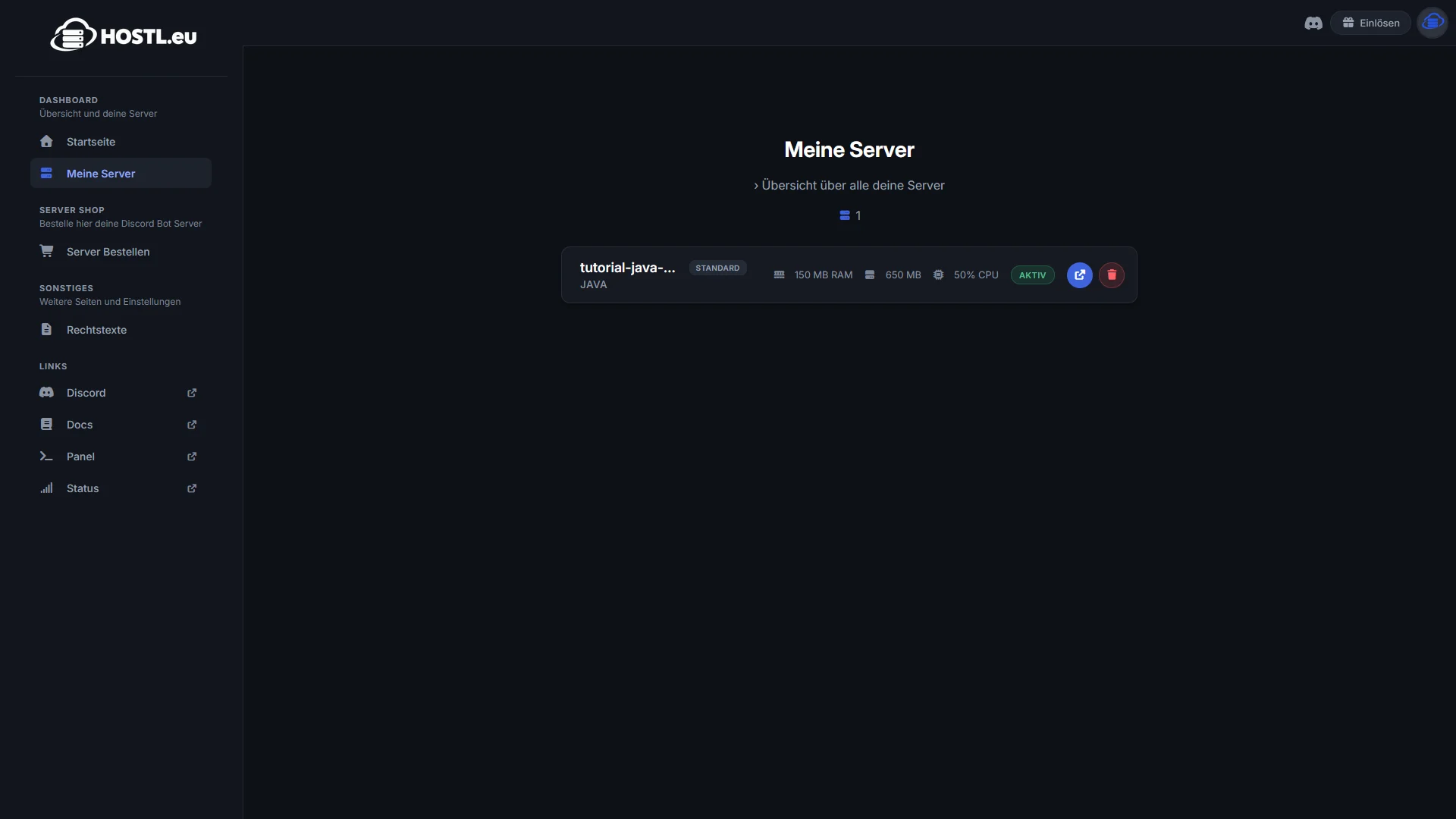
1. Open „Meine Server“
Go to „Meine Server“ in the left sidebar on the Dashboard.
2. Select server
There you’ll find a list of all your existing Servers.
3. Click on the red trash can
Click on the red trash can icon on the server you want to delete to remove it.
Attention:
The server will be permanently deleted and cannot be restored.