
› Create Database
Here you'll learn how to order a Database for your project!
1. Open „Datenbank“
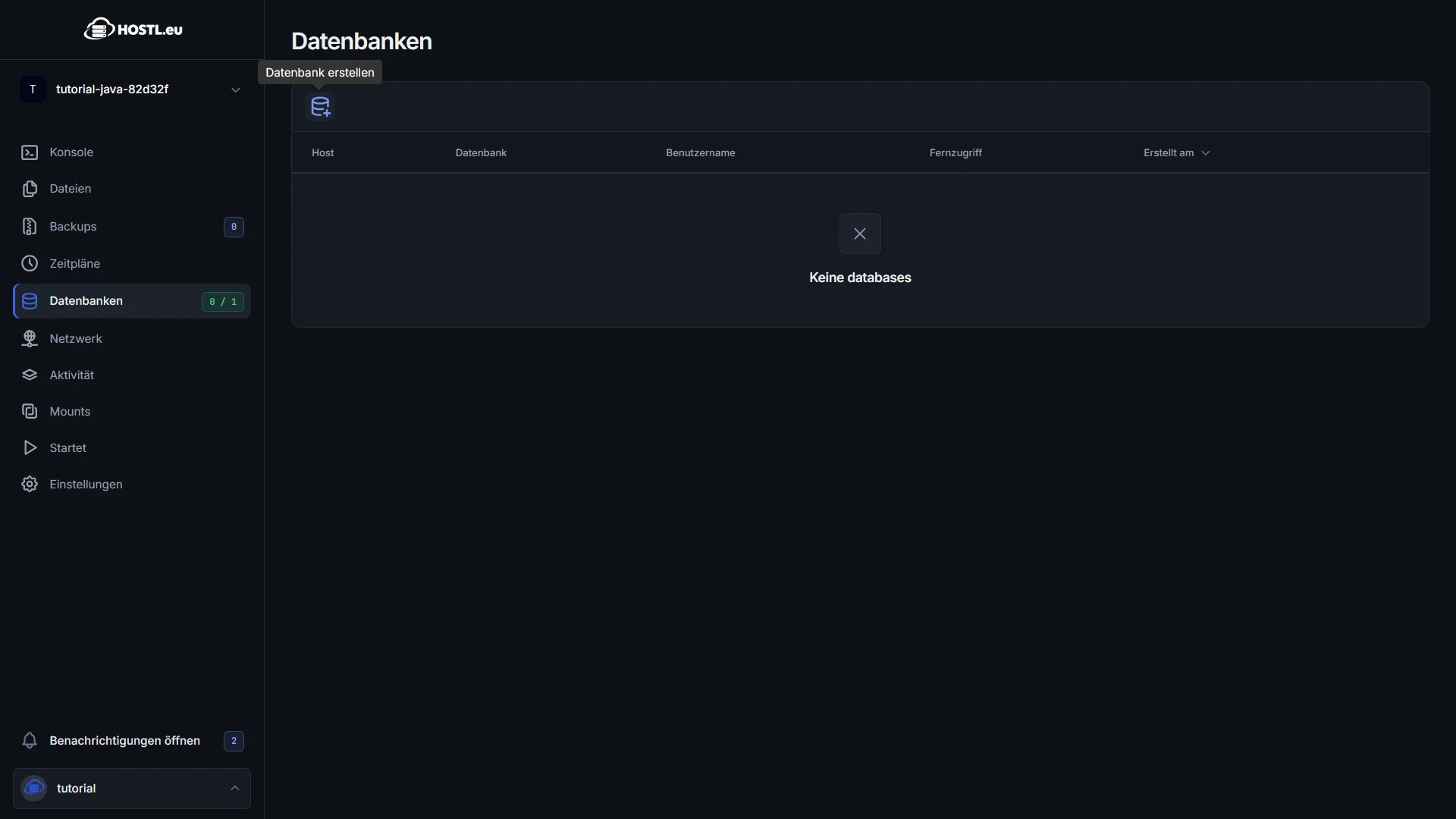
Go to „Database“ in the Panel on the left sidebar.
2. Create Database
Click on the blue button „Create Database“.
3. Fill out the menu
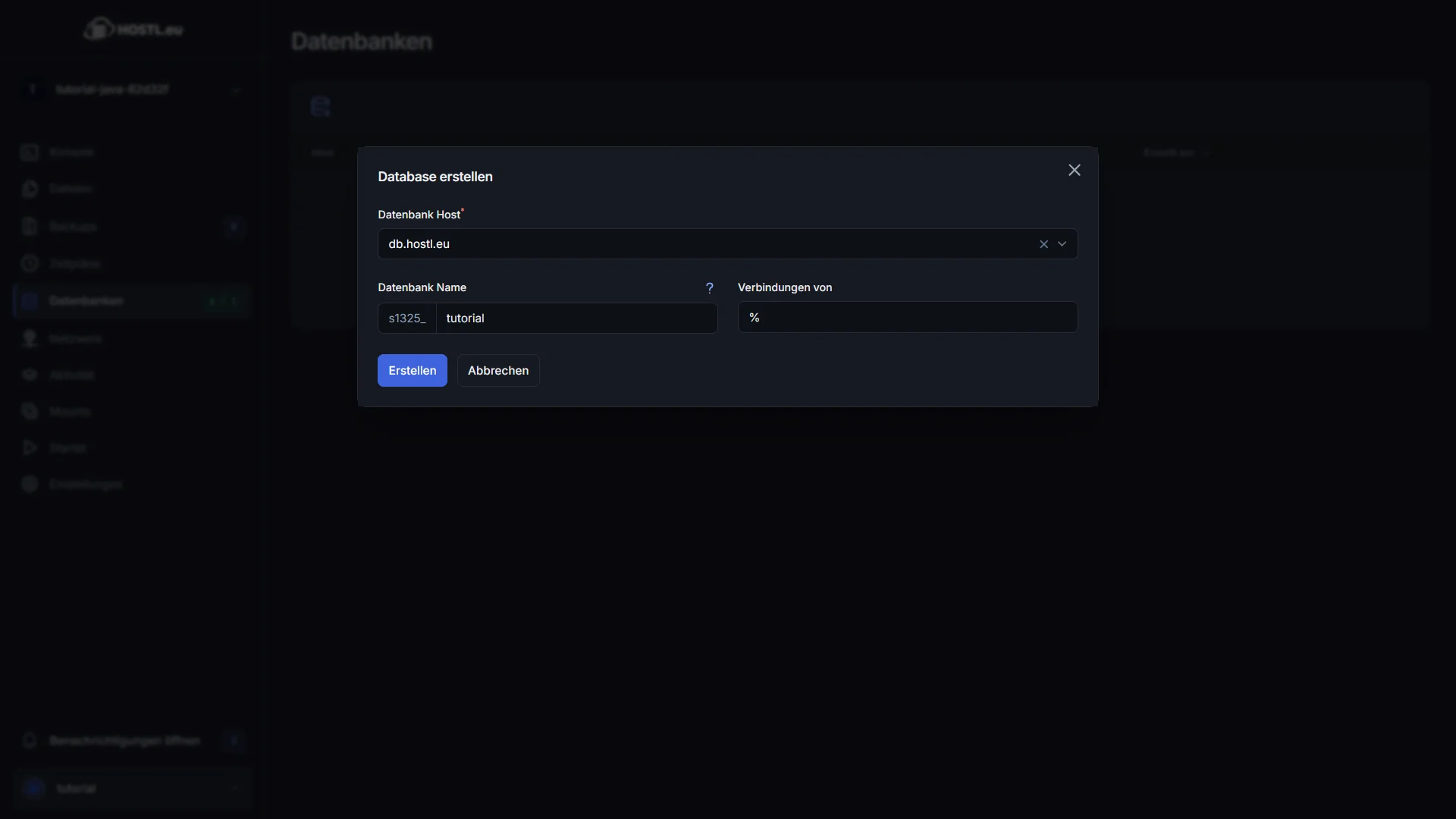
In the „Database Host“ field, select db.hostl.eu and you can choose the Database Name freely!
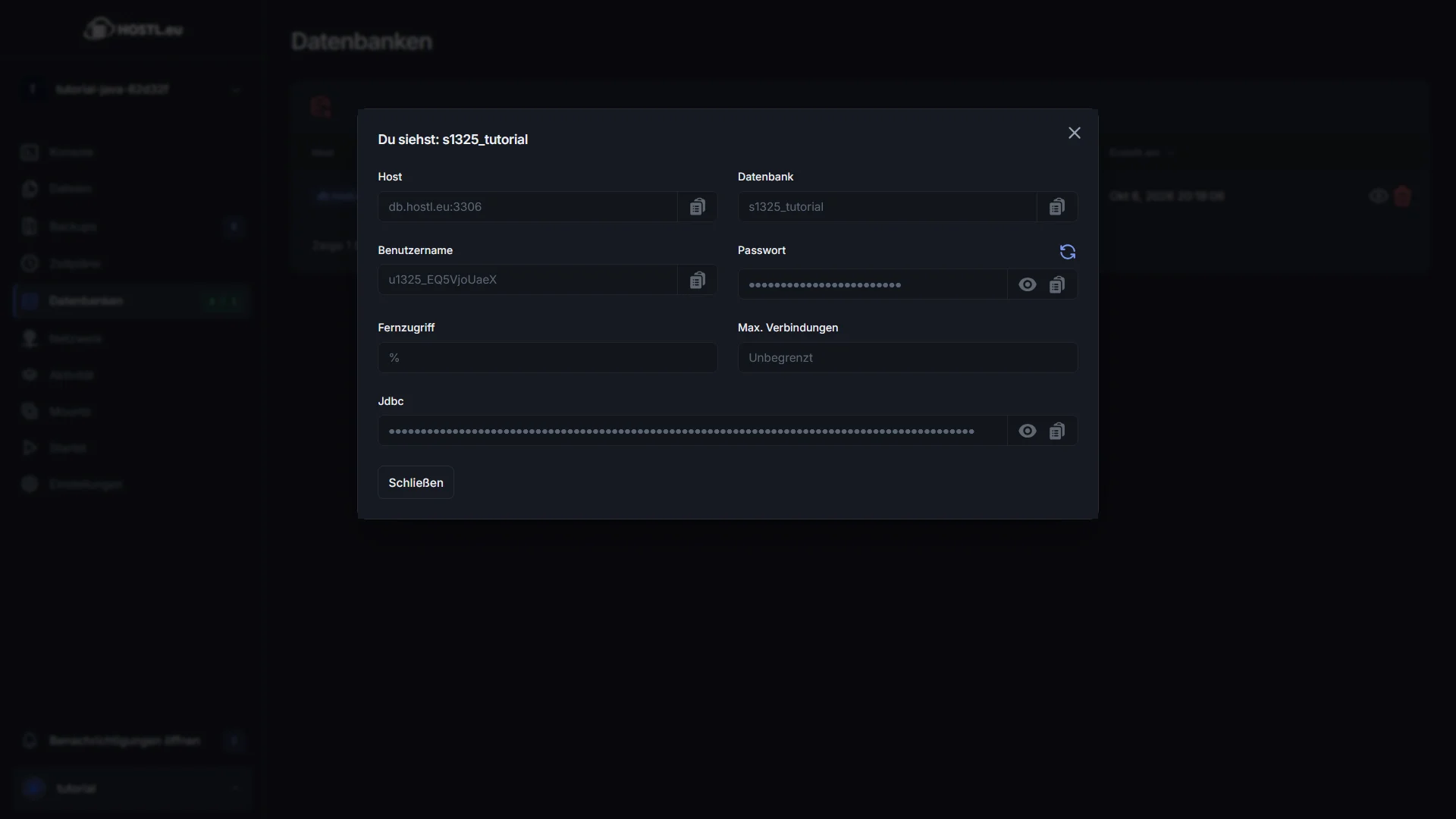
Now you'll get all the login details for your Database:
5. Open database in Phpmyadmin
With the login details shown above, you can also log in to our Phpmyadmin dashboard! Whether you want to use it is, of course, up to you, your decision!
You have successfully created your Database